
One, how to add a card to the hotel lock
1、Add via the mother card
A hotel's card lock system only uses one master card. Hotel staff can add subsidiary cards using the master card to prevent tenants from defaulting on rent. When adding a card, the master card is used to approach the sensing area, entering management mode. Then, when the subsidiary card is approached, a sound will be emitted, indicating a successful match. After matching, the process is repeated for the second card, continuing to approach the sensing area until the card is fully recognized. Finally, the master card is used to approach the sensing area to exit the management mode.
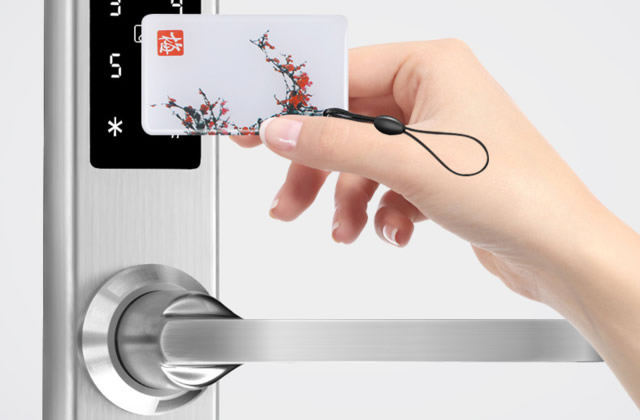
2、Add using the remote control
The door card for the hotel's card lock can also be added using the number keys on the remote control. This method is only suitable for electronic locks for access control. When adding, first enter management mode using the remote control, and then bring the sub-card close to the sensing area to add the room card.
3、Add using a password lock.
If the hotel keycard lock has a password, you can directly operate on the password. To operate, press the designated button on the lock panel, then enter the administrator password on the lock panel outside the door, and bring the keycard close to the sensing area to add a room card.
4、Using a clip tool to apply
The card reader is typically an accessory for hotel key card locks. When installing, simply place the key card on the card reader, and then use the computer connected to the card reader to set it up. To open a specific room, you can simply set the card reader to open that room when inserting the card.
Two. How to activate new hotel key cards
Step 1: First, connect the NFC reader to the computer using a data cable. Then, install the necessary drivers according to the system prompts and proceed to the next step until completion.
Step 2: Then, open the NFC reader software, place your access card or elevator card on the reader, and click the "Read Entire Card" option in the software. Wait for the reading to complete, and the software interface will display the card data.
Step 3: Then export and save the card data file.
Step 4: Then, place the IC white card on the NFC reader and click "Read Full Card: Read Card Data." After reading the card, click "Write Full Card" and select the previously exported and saved data. This will activate the new card.