
One: How to use a card-based lock to open wirelessly via WiFi.
1. First, remove the battery cover, which is the upper portion of the door lock. Push the switch from the OFF position to the ON position. Insert a screwdriver into the hole for the "Rest" function for approximately 5 seconds; this will trigger a system notification sound from the door lock: "Initialization successful".
2. Close the battery compartment and press and hold the # key for at least 2 seconds. Enter the administrator's fingerprint twice until the system prompts: "Administrator fingerprint added successfully."
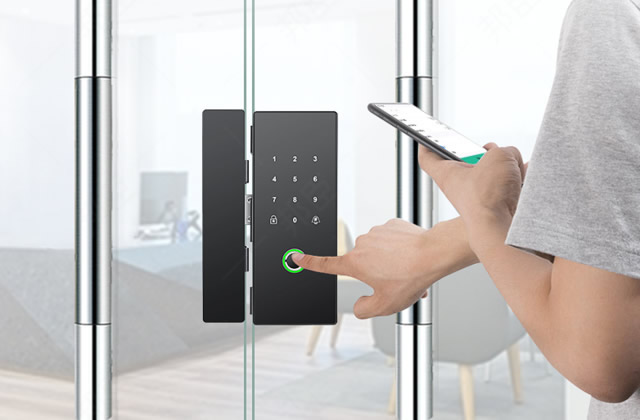
3. Download and open the app from the smart lock brand on your smartphone. Find the "Devices" button and click the "Manual Add" button. Find and click the corresponding model of the smart lock. If you are unsure, refer to the product manual. Click "Agree to Permissions" and "Start Adding".
4. On the smart door lock panel, press and hold the "8" key for 2 seconds to verify the administrator. Follow the voice prompts to input the administrator's fingerprint. On the smart door lock panel, press and hold the "1" key for 2 seconds, and the door lock will display a voice prompt: "Successfully joined the mobile network." The smart door lock is also displayed online in the mobile APP.
5. On the smart door lock panel, press and hold the "#" key and enter the administrator's fingerprint to verify. Place the door card to be added in the door lock sensing area, and the door lock system will prompt with a voice: "Addition successful." Guests can send a remote unlocking request by pressing the "doorbell" button or by simultaneously pressing "8+#". The homeowner's mobile app will receive a notification of the unlocking request. Enter the administrator's unlocking password on the mobile app. The door lock will announce to the guest: "The door is now unlocked," thus enabling remote unlocking.
Two. What should I do if the smart card lock is not opening?
1. First, check if it's a card issue. Try using other methods, such as fingerprints or passwords, to unlock the door. Sometimes, the smart lock card loses its magnetism after prolonged use, which can cause it to lose its unlocking function.
2. If the fingerprint or password cannot unlock the door, it may be due to a dead battery in the smart lock. In this case, we need to replace the batteries or recharge the lock promptly.
3. Another possible reason is that the card lock mechanism may be damaged, and if it is still under warranty, the manufacturer can provide repair services. If the warranty period has expired, the only option is to hire a repair technician, which will incur a certain repair fee.